I don't know what I'm looking at, but it sounds like you can adjust the asymmetrical positive and negative peaks by using this PK1 plugin:
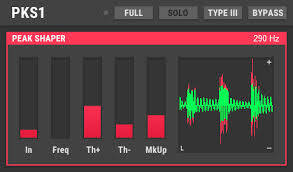
"PSK1 is a simple peak shaper with separate thresholds for positive and negative phase...
PKS1 is actually a waveshaper with threshold where peaks start being shaped according to the selected curve. Positive and negative phase have separate thresholds allowing asymmetric shaping...
https://plugins4free.com/plugin/2464/
So someone please explain if this plugin
Not a peep... So... Asking again, anybody understand if this "asymmetrical peak shaper" is something that can be useful for acheiving the desired asymmetrical 125:postive peaks to increase listenable range?


I don't know enough about it to
comment one way or another. Sorry.
On second thought as I understand from the Schlockwood that has asymmetrical processing adjustable on the output says simply that it is the positive peaks higher than the negative ones. What you have there I'd agree with Roy. That isn't it.
But it says you can adjust the waveform separately "allowing asymmetric shaping"..
No?

I think that this plugin was intended for PSK amateur radio communication, a form of digital transmission and reception.
Also, I'm not exactly sure what asymmetric shaping means in the digital world, and if it relates to achieving over 100% modulation peaks. How would that even work digitally? Isn't that purely an analog function, distorting the real world shape of the waveform in the positive direction?
Maybe the sound engineers here can explain it. From what I have been able to gather, increasing higher positive peaks is just introducing distortion into your audio. It may be acceptable to a certain level, and it may increase your coverage a bit. But if the modulation distortion is too much, radios may have a hard time demodulating the signal cleanly (introducing yet more distortion). Is it worth it?

Well, you want to avoid going over 100% on the negative peaks. Occasionally hitting 100% on the negative peaks is OK, but you don't want to go over, or the carrier breaks up and causes the signal to splatter and sound distorted. As I understand it, it is possible to modulate over 100% on the positive peaks without introducing distortion, as long as your transmitter has the headroom. That last bit is important. I have read that a lot of vintage tube radios don't sound too good when receiving stations that modulate in this way. I have listened to most of the AM stations in my market on modern receivers. Most of them modulate over 100% on +ve peaks and sound fine. In the US, the FCC allows stations to modulate to as high as 125% on the +ve peaks. I've listened to one or two who exceed even that level and still sound good.
According to Jim Wood in the manual for the SW200 processor, it's not worth worrying about if your transmitter can't handle this kind of modulation, as you are only losing a dB or so anyway. In his words, it "really is no big deal".
I don't know why I'm worried about it, never employed asymmetrical modulation before, but I asked the Bing CoPilot: (I almost never use bing)
whats the cheapest method to acheive asymmetrical modulation with a AM transmitter?
One of the cheapest methods to achieve asymmetrical modulation with an AM transmitter is to use **mic phasing and modulator phase reversal. Here's a simplified approach:
1. **Reverse the leads on the microphone element**: This can change the phase of the audio signal
2. **Use a simple oscilloscope**: If you have access to one, you can observe the modulation peaks and adjust the phase accordingly
3. **Swap the plate cap leads on the modulator tubes**: This can help in achieving the desired asymmetrical modulation
While this method requires some basic equipment, it's relatively low-cost compared to specialized modulators
Does this help with what you're trying to achieve?
What is the cheapest way to acheive asymmetrical modulation with a LPAM AM1000 Rangemaster low power Part 15 AM transmitter?
To achieve asymmetrical modulation with the LPAM AM1000 Rangemaster low power Part 15 AM transmitter, the most cost-effective method is to use an **audio processor capable of asymmetrical modulation. Here are some steps:
1. **Use an AM-type audio processor**: Devices like the Innovonics 222 or CBS Volumax are known to work well with the AM1000. These processors can drive the transmitter beyond 100% positive peaks, which is essential for asymmetrical modulation
2. **Ensure proper polarity**: Make sure the output terminals (+ and -) are correctly connected to avoid distortion
3. **Connect to a good ground**: A solid ground connection can significantly improve the range and performance of your transmitter
These steps should help you achieve asymmetrical modulation without breaking the bank. Does this align with what you were looking for?
Not really, those products are to expensive. Is there another way?
Got it, cost is definitely a factor! Here's a more budget-friendly approach:
1. **DIY Audio Processor**: You can create a simple asymmetrical modulation circuit using basic components like resistors, capacitors, and operational amplifiers (op-amps). There are plenty of online resources and tutorials that can guide you through building one.
2. **Software Modulation**: Use free audio editing software like Audacity to manually adjust the audio waveform to achieve asymmetrical modulation. You can then play the processed audio through your transmitter.
3. **Second-Hand Equipment**: Look for used audio processors or modulators on online marketplaces like eBay or Craigslist. Sometimes, you can find good deals on equipment that's still functional but no longer needed by others.
Would any of these options work better for you?
Elaborate on no. 2
Sure thing! Here's a detailed guide on how you can use Audacity to achieve asymmetrical modulation for your AM transmitter:
1. **Download and Install Audacity**: If you haven't already, download and install Audacity from its [official website]( https://www.audacityteam.org/download/).
2. **Import Your Audio File**:
- Open Audacity and go to `File > Import > Audio` to select your audio file.
3. **Amplify the Positive Peaks**:
- Select your entire audio track by clicking on the left panel of the track.
- Go to `Effect > Amplify...`.
- In the Amplify dialog box, you'll see a setting for `New Peak Amplitude (dB)`. Adjust the slider or input a value to amplify your audio. Make sure to uncheck the `Allow Clipping` box. You may need to experiment with the amplification level to avoid distortion.
4. **Compress the Audio**:
- With your track still selected, go to `Effect > Compressor...`.
- Adjust the settings to compress the audio, which helps in maintaining the asymmetry without causing too much distortion. Generally, you'll want a higher ratio and a lower threshold.
5. **Normalize the Track**:
- Finally, go to `Effect > Normalize...`.
- Normalize your audio to a suitable peak amplitude, typically around -1 dB to prevent clipping during playback.
6. **Export the Processed Audio**:
- Once you're satisfied with the adjustments, export the audio by going to `File > Export > Export as MP3` or any other preferred format.
7. **Playback**:
- Use this processed audio file as your input for the AM1000 Rangemaster transmitter. Ensure all connections are secure and properly grounded to avoid interference.
By manually adjusting the audio waveform, you can achieve asymmetrical modulation without spending much money on specialized equipment.
Does this help? Let me know if you need further details!
The objective is to acheive 125% positive peak without distorting the negative peak.. is that correct?
Yes, that's correct! The goal of asymmetrical modulation in AM broadcasting is to achieve greater positive peak modulation (such as 125% positive) while keeping the negative peak modulation at 100% or below. This enhances the loudness and clarity of the transmission without causing distortion.
The method I mentioned using Audacity can help achieve this by amplifying the positive peaks while managing the overall audio level to prevent distortion on the negative peaks. It's a bit of an art to get it just right, but with careful adjustments, you can improve your broadcast quality significantly.
If you'd like, I can guide you through more detailed steps or other tweaks to ensure you get the best results. Just let me know!
Ok.
Great! Here's a quick recap to ensure you're all set:
1. **Goal**: Achieve 125% positive peak modulation without distorting the negative peak (keeping it at 100% or below).
2. **Steps in Audacity**:
- **Import Your Audio File**: `File > Import > Audio`
- **Amplify Positive Peaks**: `Effect > Amplify...` and increase the amplitude without clipping.
- **Compress Audio**: `Effect > Compressor...` to control the dynamic range.
- **Normalize Track**: `Effect > Normalize...` to set peak levels.
3. **Export and Playback**: Use the processed audio file with your transmitter.
Remember, it might take a bit of experimentation to get the balance just right, but this approach should help you achieve your desired modulation.
Feel free to let me know how it goes or if you have any more questions! Happy broadcasting! 🎙️📻
(By the way, it concluded with those mic and radio icons, which I thought was cool)
According to the Schlockwood manual the only thing going higher on the positive peaks does that you will hear is a little louder, maybe 1db, sounding on the air. The same thing you get by compression/limiting, how hard you drive the processor, and a balance between clipped limiting and normal limiting.
Simply use a Schlockwood or similar processor that has the feature of adjusting the positive peaks.
Here's what asymmetrical modulation looks like on a scope as compared to symmetrical modulation. But this is all hype to me. Like I said all it may sound like to the listener on the radio is a very small boost in loudness or "punch" in the audio. All about the loudness wars with broadcasting, to sound louder than the other guy.
@mark Well the only reason I'm interested is because the Rangemaster is the only part 15 transmitter that has that capability (sfaik), and it would be nice to take advantage of it since it can increase range.
That said.. I tend to agree with you that it's more hype than anything. I suspect by employing asymmetrical modulation could increase range maybe a few hundred feet at best... if any. Nevertheless, it is something I'd like to experiment with if the opportunity arose and it didnt cost an arm and a leg.
If you're going to experiment with asymmetrical modulation @richpowers, it would probably be a good idea to invest in a modulation monitor, so you'll actually know whether you are modulating over 100% on the positive peaks, and to what extent.
When I got my SW300 I discovered that, without realizing, I had been overmodulating my Rangemaster on the negative peaks by quite a large margin. I feel a bit sheepish about that, because I hadn't noticed any splattering. My point is - unless you have a way of measuring your depth of modulation, how are you going to know if your positive peaks are going over 100% or not, and by how much? How do you know if your negative peaks are staying just under 100%?
In my humble opinion, and limited experience, asymmetrical modulation is one of those things that seems to hold much promise until you've actually tried it. Far more important than asymmetrical modulation in my (once again) humble and relatively inexperienced opinion are -
1) A really good RF ground and all-round solid installation and
2) Good audio processing. Well-processed, dense audio is going to sound better than a signal with mediocre audio processing, even if it does have asymmetrical modulation.
I agree with @mark that it probably has a lot to do with the loudness wars, with commercial stations willing to do anything to "improve" their signal, even if the improvement is noticeable more in the metrics than to a listener.
...one of those things that seems to hold much promise until you've actually tried it....
Yeah.. I know there's no way I'll be buying a modulation monitor, I had explored all this about 20 years ago and all the options seemed prohibitively expensive even then to me for something that I really didnt understand and might not really make that much difference anyway.. The Schlockwood part 15 monitor which I've heard raves reviews about is over $700.. which sounds an insane for a part 15 station, but that's what I say now, so does the $1,000 for a Rangemaster, and the thousands I had spent on processing gear in the past over the years. I've done a lot of heavy splurging in the past over my station, but suspect those days are gone for good (but who knows?)
Yeah... I'm just dreaming as I talk about applying asymmetrical modulation.
@richpowers You already have a Ragemaster as I read and all the other processing you still have?
I know all this part 15 stuff is expensive, but *some* of the reason, not all, is justified and I will explain in another thread.
But yes, the positive peak thing doesn't make much difference to justify a modulation monitor. Schlockwood says try it and see what happens. If you turn the control up and everything sound OK still great but if your transmitter can't do it so back off, all you loose is a miniscule amount of "loudness"
@mark I have two Rangemasters (used to have 3 but one got stole many years ago) but something is wrong with one of them (the one I had bought on ebay). All of my proccessing gear and equipment associated with it I lost in a storage garge when I had been stranded in Hilton Head for a month and half a couple years ago when I bought my current sailboat.
So basically, with the exception to the one working Rangemaster, I'll be restarting my station from scratch.
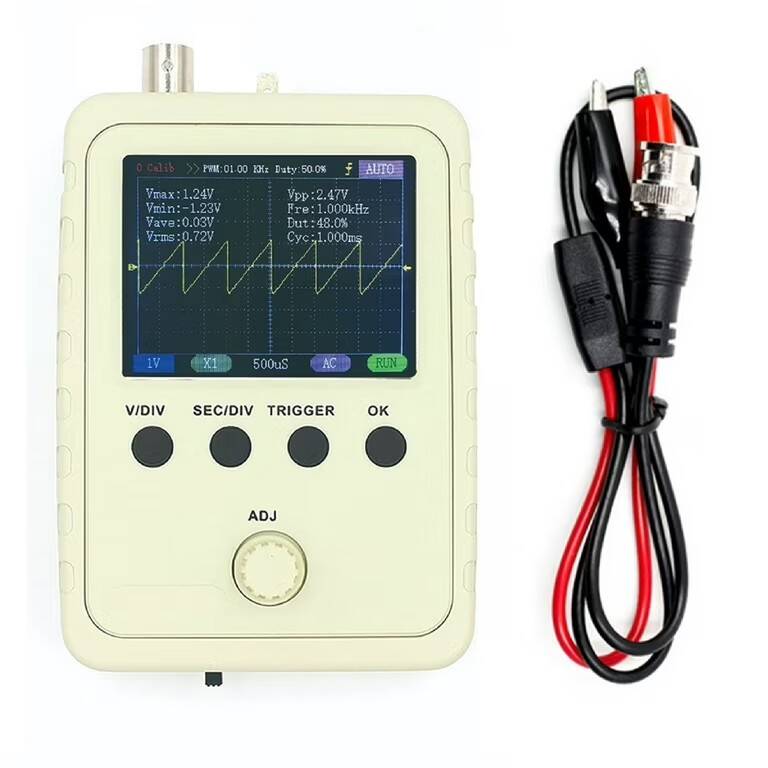
Along the same subject, I wonder if this Wamart $17 handheld oscilloscope would be useful for a part 15 AM?
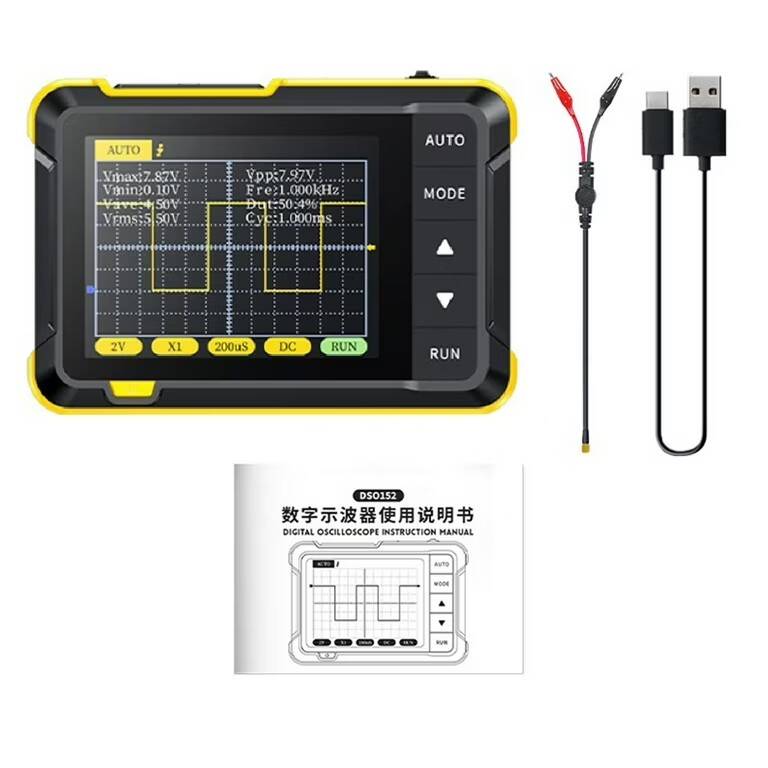
Or this one